When the Map Moves, Where Do the Units Go?
Contributed by: Takeshi Miyaoka on Tuesday, September 29 2026
Last modified on Tuesday, September 29 2026
DEVELOPMENT SNAPSHOT #40
Pan the map—and where should the unit markers go? We follow the separate drawing layers for the map art and live unit labels in actual in-game Debug captures.
When the map moves, the markers follow
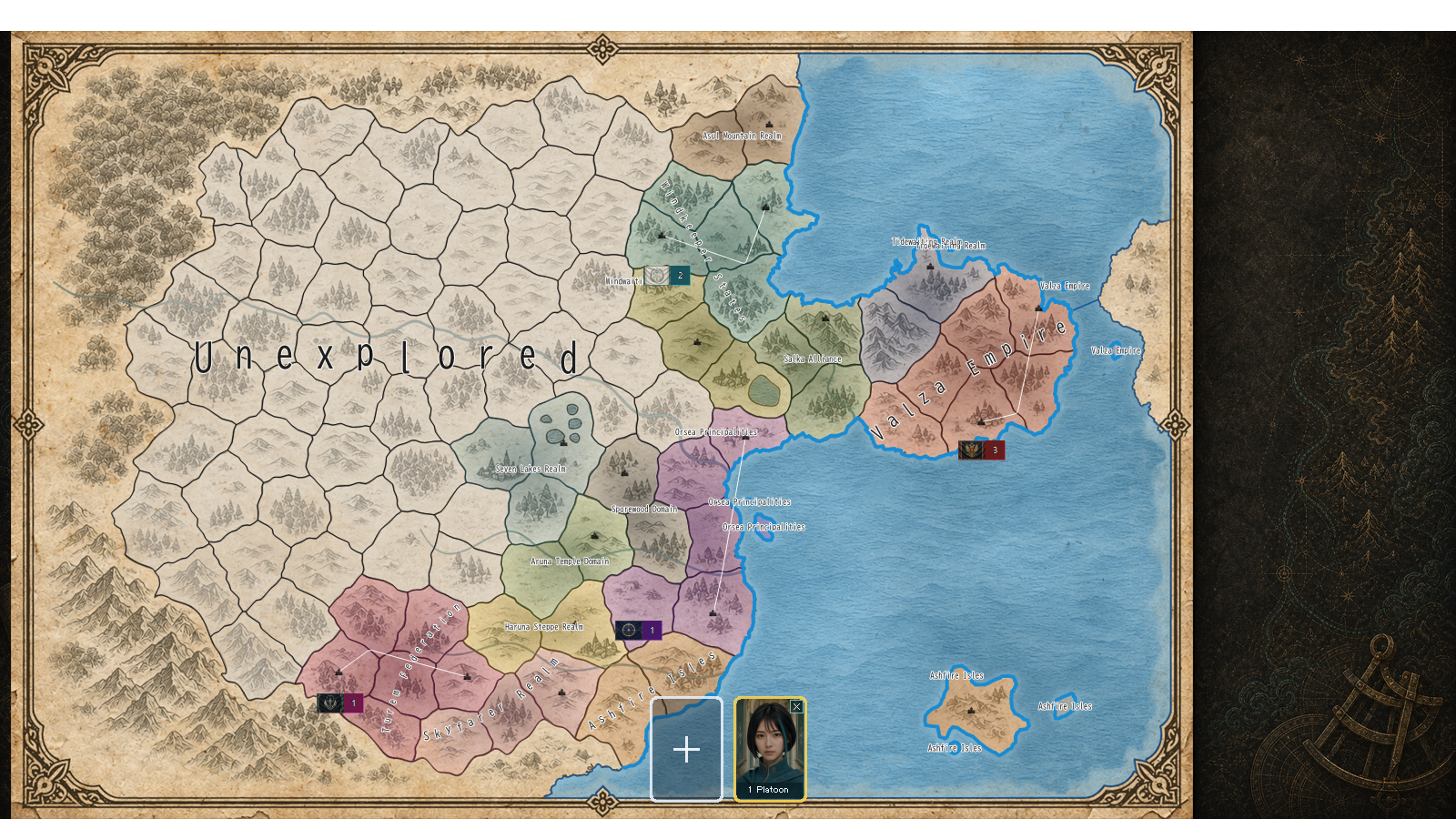
Scroll toward the edge of the map and the background glides away. If a unit marker stayed behind, it would be easy to lose track of a force.
The drawing path separates two layers. Terrain and borders, which change less often, come from a static map cache. Unit labels are then drawn again using the current viewport coordinates. Even when the background is reused, each marker is placed for the map’s new position.
Zoom out to see the whole picture
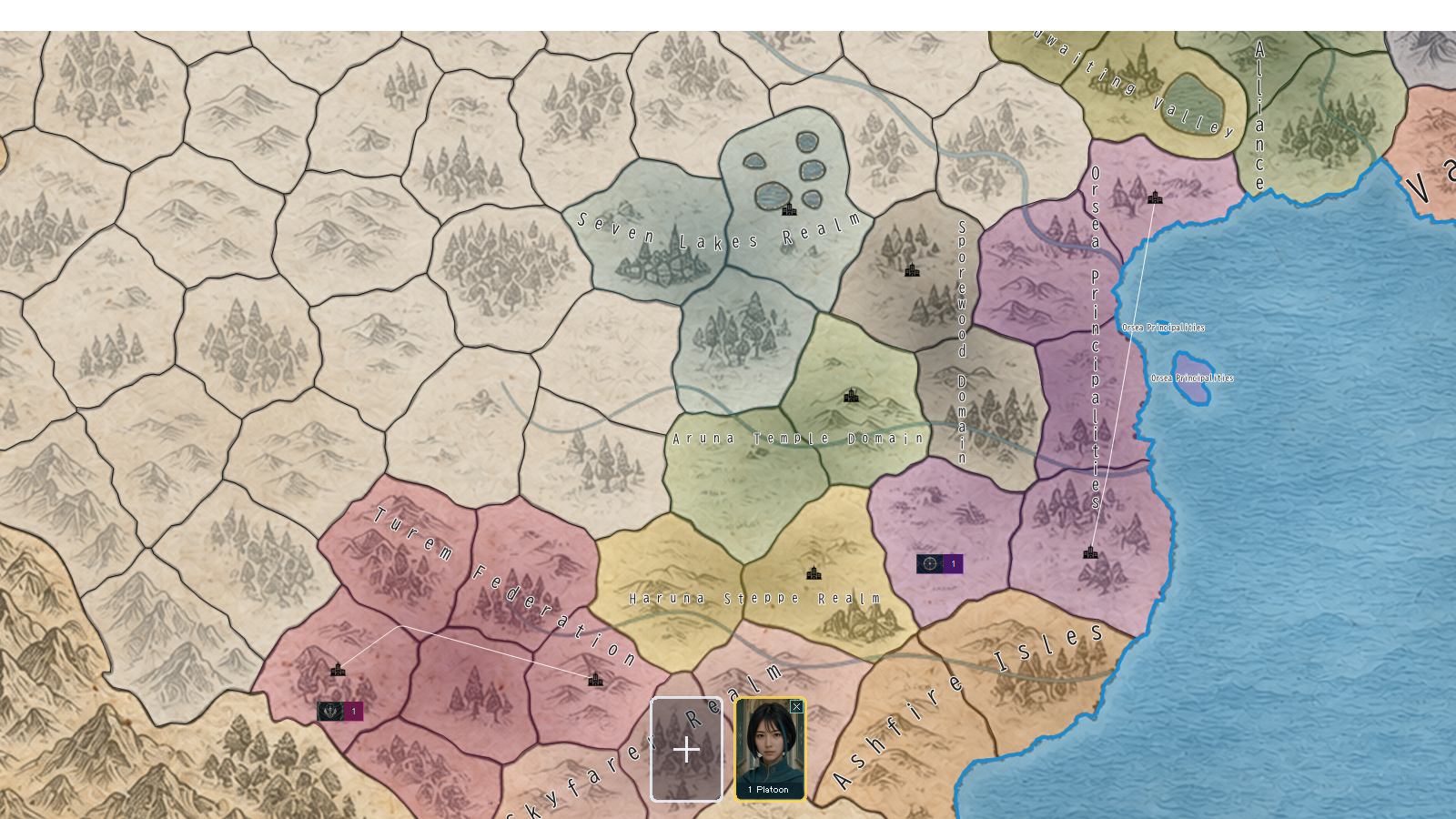
At a wide view, units from the same country are grouped. Zoom closer and province-level placement becomes visible. The amount of detail changes with scale so the map does not fill with tiny symbols.
Zoom in, one marker at a time
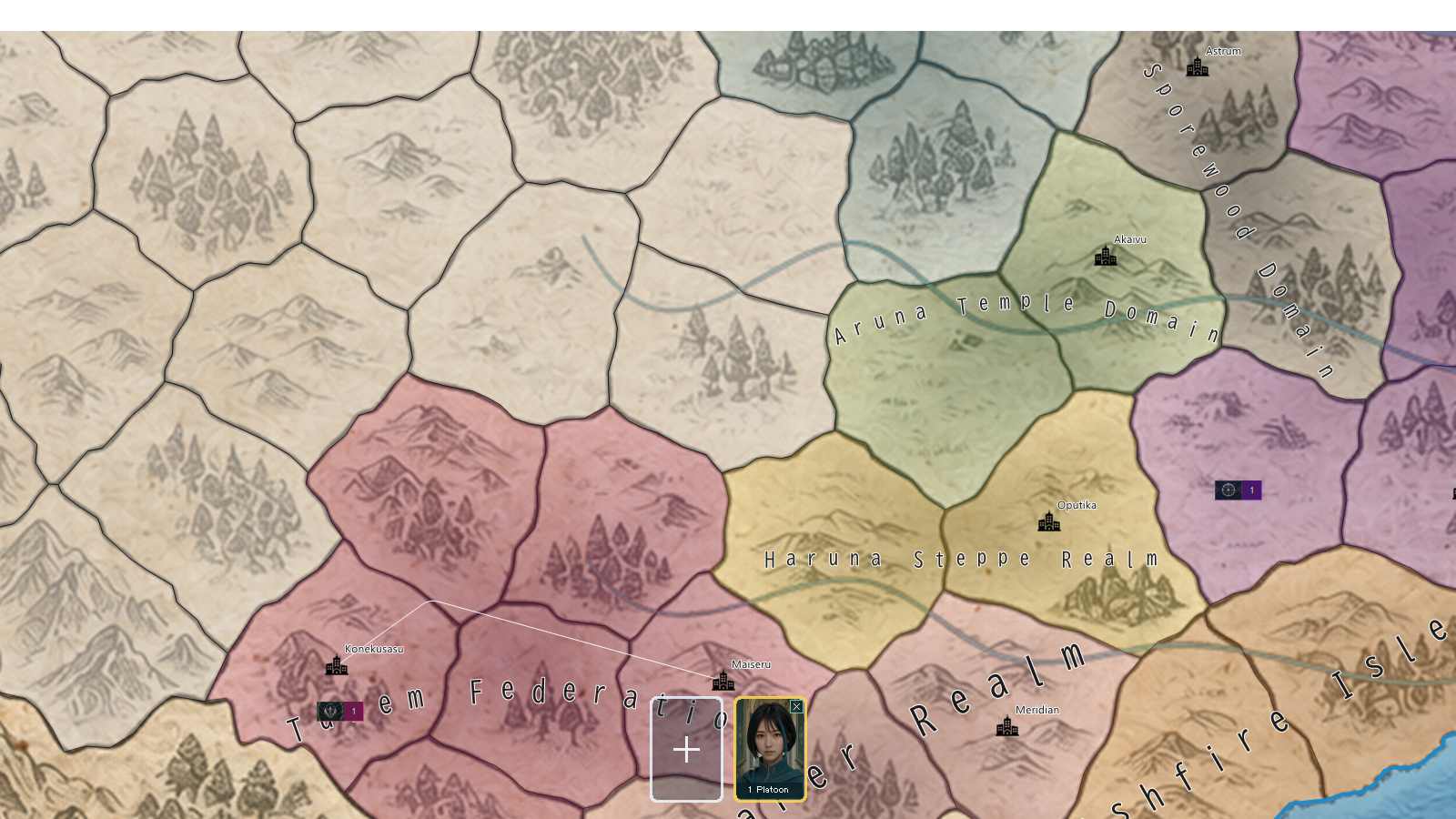
Zoom in far enough and grouped labels give way to individual units. A flag hints at allegiance; the number shows the count. This is a clearer rendering of the same placement data, not a change to the map’s units.
Moving the view is not moving the army
Scrolling and zooming move the viewport. They are separate from orders that move units, so following a marker on screen does not change its province or strength.
For this Debug check, we used a game screen with its initial forces placed, then examined the panned rendering and a zoom round trip. Across five captures—including wide, medium, and close views—the opaque unit-label pixels matched the expected overlay, and the game data stayed unchanged. It is a small but important check: redraw the scenery efficiently without losing those tiny flags.
When you pan across the map, which unit would you follow first?