DEVELOPMENT SNAPSHOT #64 — A Research Tree You Can Read: Faster Opening, Visible Links, and Why You Can't Reserve
Contributed by: Takeshi Miyaoka on Saturday, October 24 2026
Last modified on Saturday, October 24 2026
Opening the research screen meant waiting with nothing on it. Once it appeared, it was still hard to tell which research led where, or why a project could not be reserved. This round of development made four changes to the research management screen to address that.
The screen now opens faster, the research graph can be zoomed, the projects before and after the one you point at are picked out in color, and the reason a project cannot be reserved is shown right where you look. 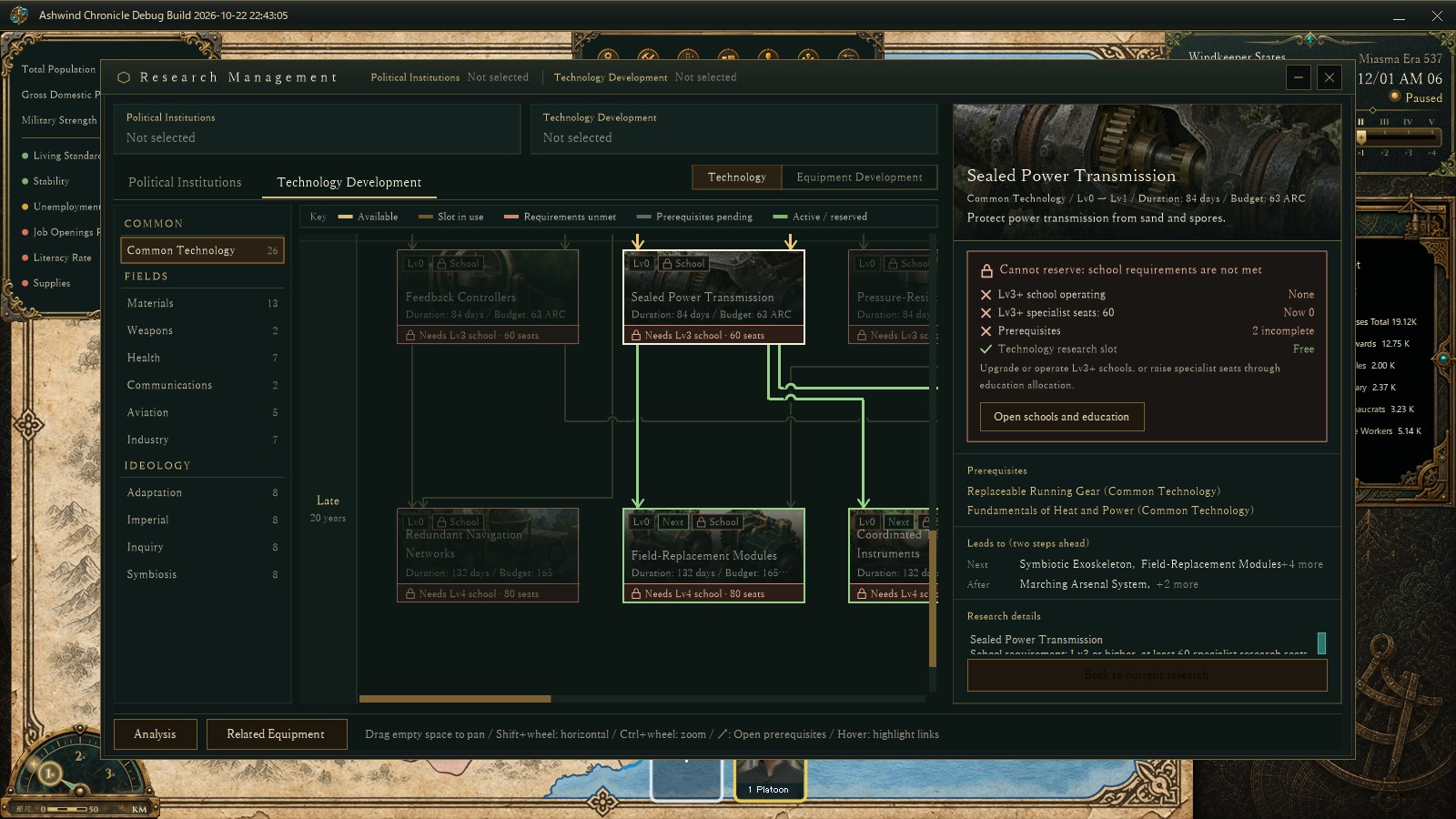
The research management screen, captured for verification in a development debug build (2026-10-22). Starting from Sealed Power Transmission, the research it unlocks next and the links to it are highlighted in green. Research names and values are still in development and may change.
Seven seconds to openThe research management screen took about seven seconds to appear after pressing its button. In a debug build with timing probes added, most of that time turned out to be the graph layout: arranging the 26 Common Technology projects and searching for link routes that do not collide with other cards or links. The same layout was also computed twice, once while building the window and again right after it was shown.
While one link is being routed, the other cards and links do not move. The route search now evaluates each segment's collisions once and reuses the result, and it skips combinations already known to be blocked. The candidates and how they are ranked are unchanged. On 23 layouts captured from the game and 360 randomly generated graphs, the card positions, link points and row heights are identical to the old results. Layouts with the same inputs are now reused, and the second layout after showing the window was removed.
| Measurement (debug build) | Before | After |
|---|---|---|
| From building the window to showing it | 7.14–7.31 s (3 runs) | 1.12–1.35 s (2 runs) |
| Graph layout (total of 2 passes) | 6.41 s (1 run) | 0.64–0.85 s (2 runs) |
Even after the change, the first full paint of the graph still finished 3.2–3.5 seconds after the start. Painting was outside the scope of this change, and there is room left to shorten it.
Zooming out to see the whole treeAs research grows, the graph no longer fits on screen. Ctrl+wheel now zooms in and out around the mouse position, in steps of 1.1×. Zooming in stops at about 1.46×; zooming out stops at about 0.39× or at the scale where the whole graph fits (down to about 0.1×). The era band on the left keeps its size and only follows the row positions. Clicks, hovering and drag-panning are all judged in the zoomed coordinates. 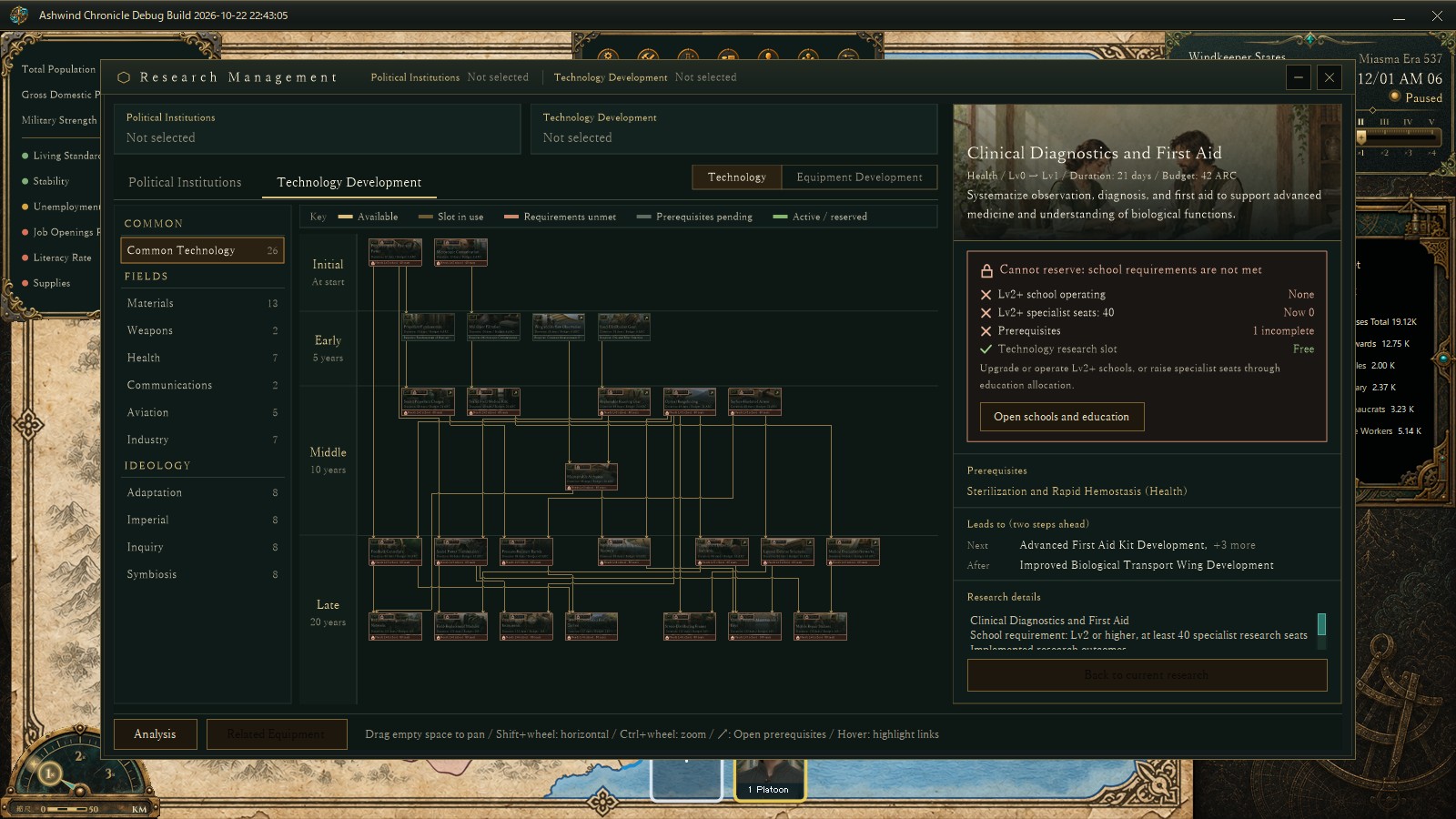
The same build with the Common Technology graph zoomed all the way out. The overall shape is visible, but the text is too small to read.
Gold for what comes before, green for what comes nextWith links crossing each other, finding a project's prerequisites meant tracing lines by eye. When you point at a card (or, if you are not pointing at one, the project shown in the detail pane), its direct prerequisites and their links are now outlined in gold, the projects it unlocks next and their links in green, and unrelated links and cards are dimmed. The neighbouring cards carry a tag, and the starting card gets a white frame. In the opening image, gold links enter the starting card from above, and the two cards below carry the "Next" tag.
Why you can't reserve it, right thereWhen a project could not be reserved, you had to work out the reason yourself. Cards in the graph now have a colored status strip with a short reason, such as a school requirement or a missing prerequisite. Cards whose requirements are unmet carry a lock tag, and a legend for the strip colors sits above the graph. 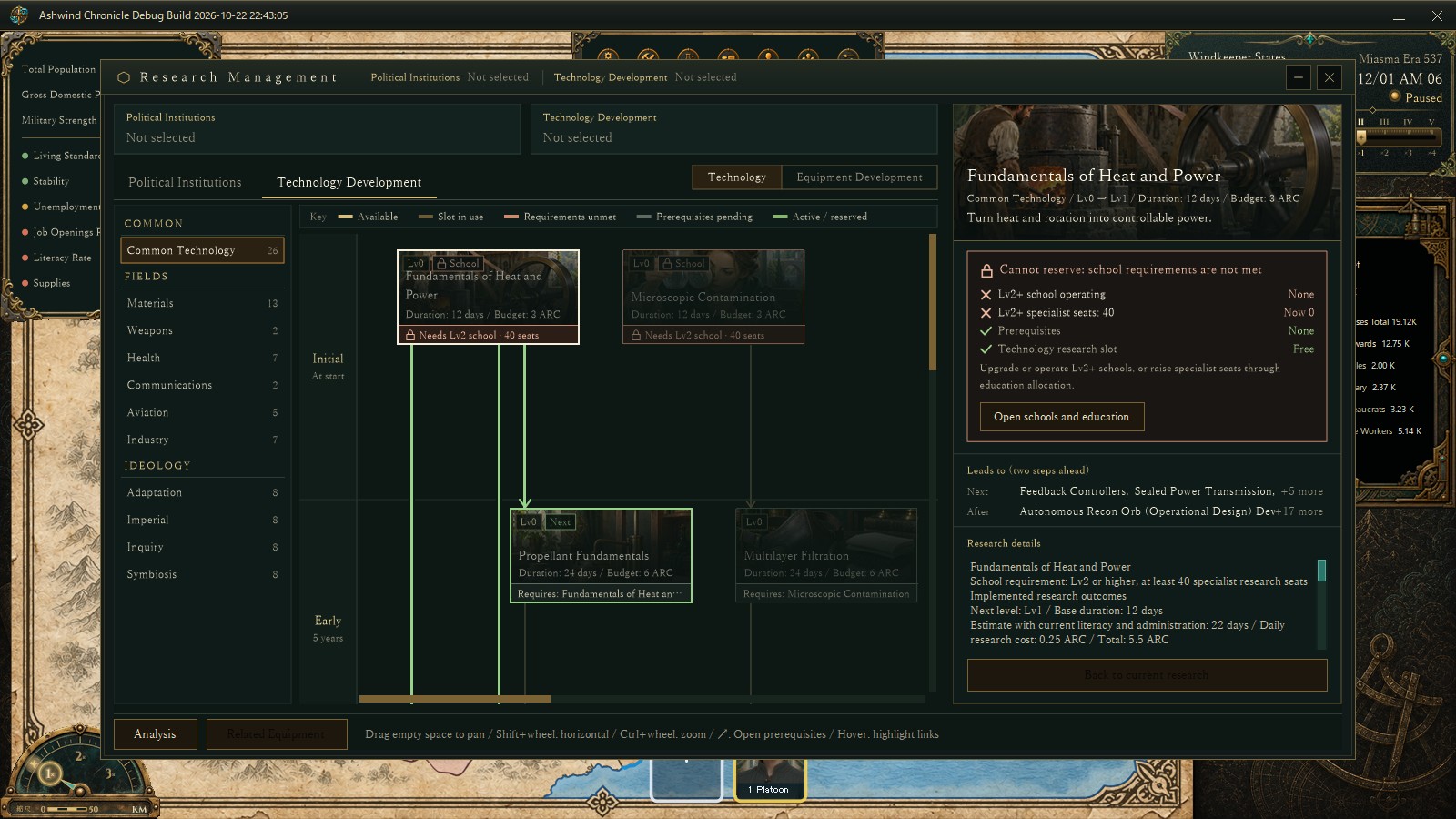
The same build with Fundamentals of Heat and Power selected. The detail pane shows, condition by condition, that it cannot be reserved because no school is operating and there are 0 specialist research seats.
The detail pane shows a reason box under the heading, listing for each condition whether it is met, the current value, and what to do about it. When a school requirement is missing, "Open schools and education" goes straight to the school screen in Construction.
About these numbersThe times in the table were measured on the development PC with a debug build that has timing probes added, opening the research screen from the same saved state. The runs are few (3 before, of which 1 recorded the layout time, and 2 after), and times will differ in distributed builds and on other PCs. All images are verification captures from a development debug build; research names, durations and budgets are tuning values still in progress.
Previous post: DEVELOPMENT SNAPSHOT #63 — No New Mines: Where Ore Goes, and Who Makes Fuel
Check the download page for currently published files and development status