
DEVELOPMENT SNAPSHOT #49 — Formation Beside the Map: A Compact Platoon Window
- Friday, October 09 2026
- Contributed by: Takeshi Miyaoka
- Views: 26
This snapshot focuses on one small workflow improvement: keeping the map in view while planning a platoon. The screenshots below are from the actual Ashwind Chronicle Debug build.
One window, two planning views
The compact window measures 1040 × 770 pixels. It opens centered over the game view the first time it is shown, and its header can be dragged while the window is open. The position is not remembered after closing or relaunching.
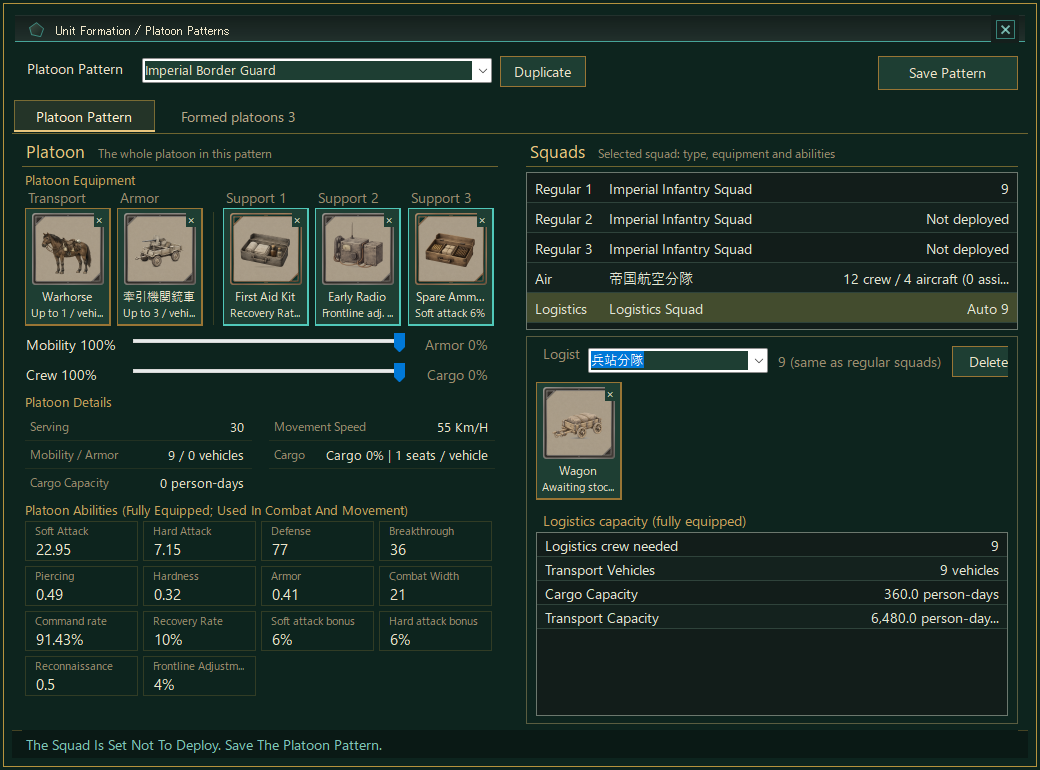
The left pane gathers unit equipment, allocation controls, and ability information. The right pane shows the squad list and the selected squad’s type, equipment, and abilities. Formation patterns and already-formed platoons can be reviewed in the same workspace, keeping the map visible as a reference while comparing options.
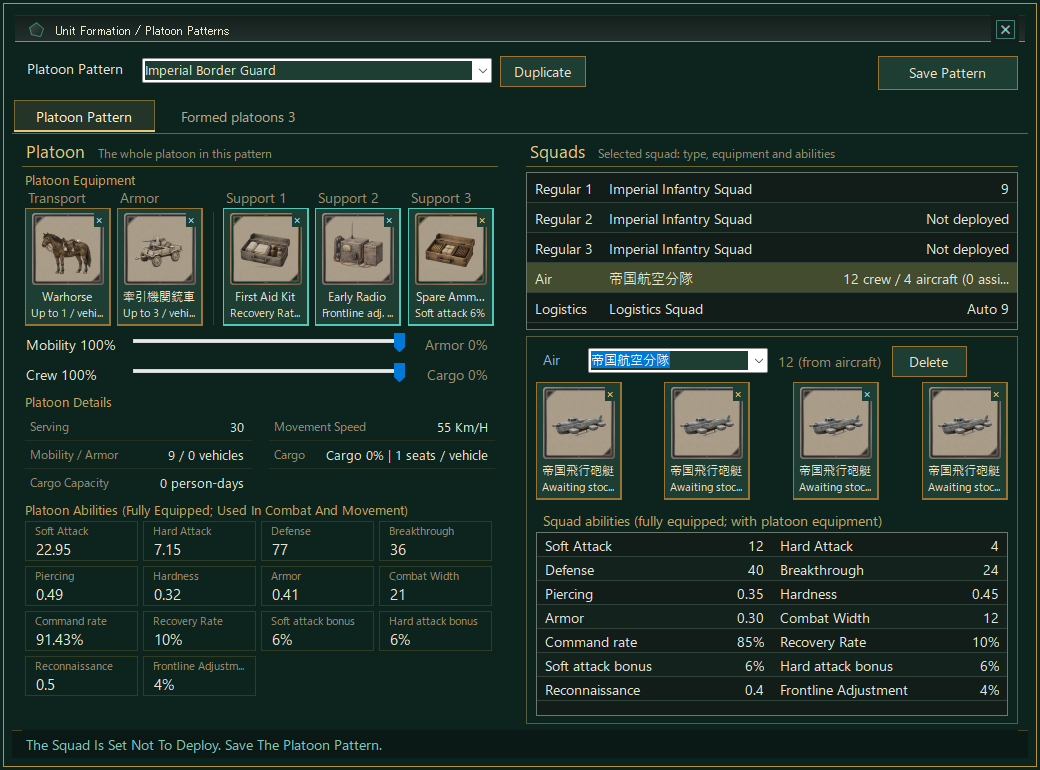
Supply and logistics are part of formation planning too. The window keeps that information close to the unit workflow, rather than requiring a separate trip away from the map.
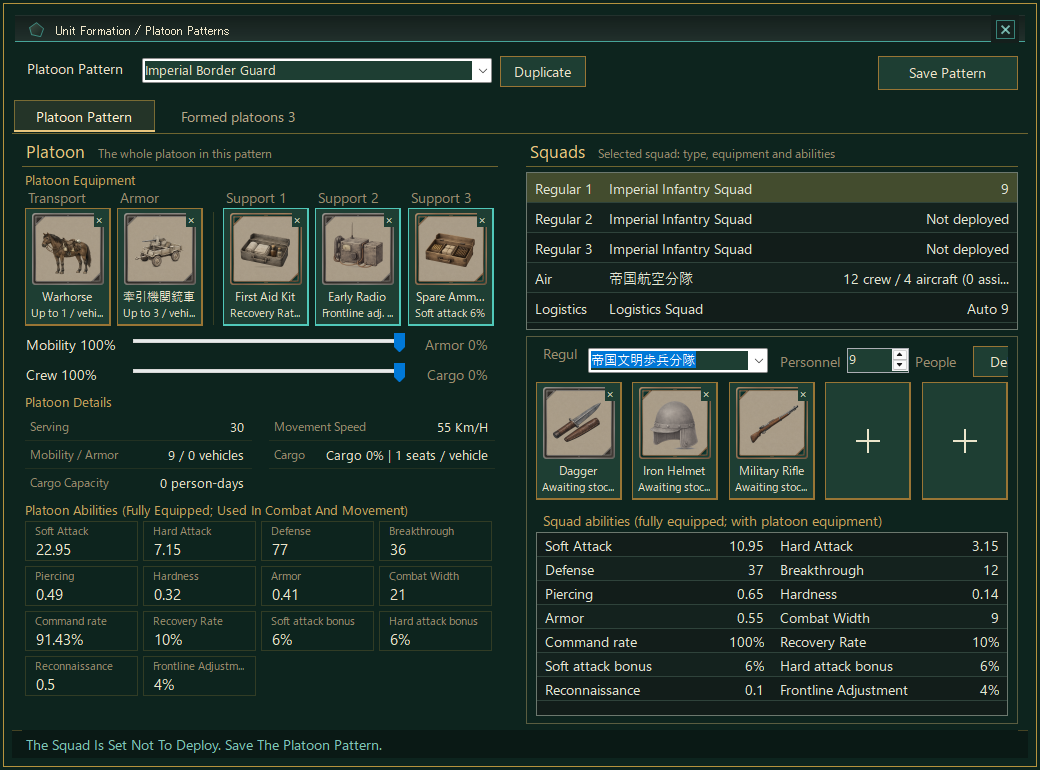
This is a focused workflow improvement in the Debug build—not a claim that every formation feature is finished. We are refining the practical loop of comparing squads, adjusting their setup, and checking the map without losing context.
Get the game from Downloads, or support the project.