
DEVELOPMENT SNAPSHOT #59 — The Calendar Keeps Up: Reading Today’s Weather Before It Is Confirmed
- Monday, October 19 2026
- Contributed by: Takeshi Miyaoka
- Views: 19
The date has moved on, but the calendar still seems to be showing yesterday’s weather. When confirmed weather history already exists, Ashwind Chronicle bridges that brief gap by calculating from the latest confirmed day to today on read-only working data—even before the background daily result is committed. The display can look ahead without advancing the saved world.
These are QA screen examples captured from the actual Debug build. The weather states were set for verification and are not current values from a normal save.
When the calendar reaches today firstDaily processing, including weather confirmation, is calculated in the background and applied to the game state afterward. While that work is in progress, the saved weather states can be a day or more behind the game clock. If today’s confirmed weather is already available, the calendar uses it directly. The gap occurs when today has not been confirmed yet.
When confirmed weather history already exists, the calendar traces it forward from the latest confirmed day to today. If no confirmed weather states exist yet, the implementation falls back to the seasonal label.
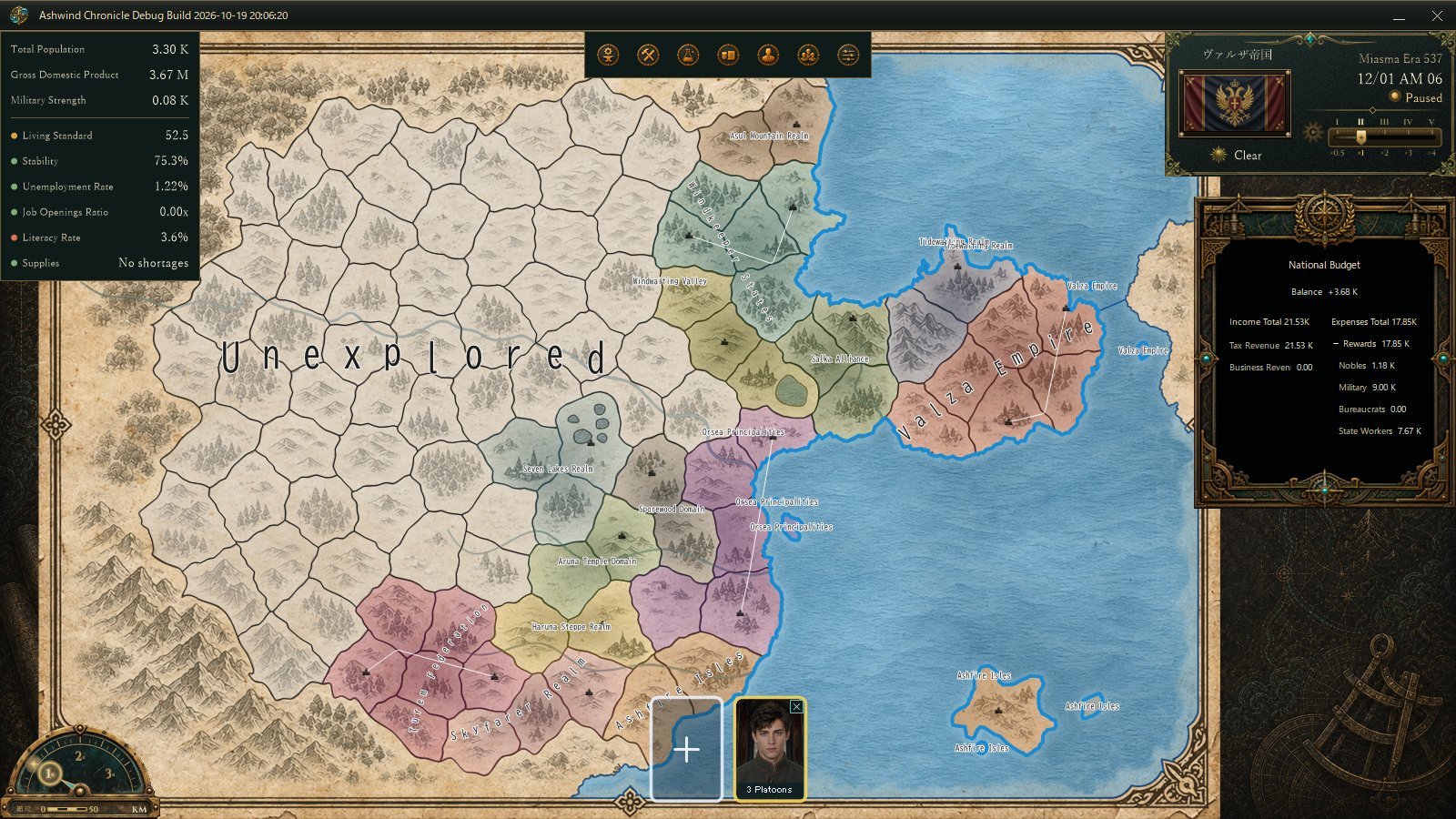
Clear-weather Debug example. The calendar panel groups the date, time, and weather in the upper-right corner.
The same daily rules, on separate working dataCalendarWeatherReader calls the same DailyWeatherService.Advance used by normal daily processing, one day at a time from the latest confirmed state through today. It uses the world seed, region, date, and prior weather rather than inventing a separate set of weather rules. Event overrides, such as an active storm, are also considered by the read.
The important detail is that this happens on separate working data. Confirmed weather states are copied into a temporary view, and that view is advanced. The saved document itself is not changed. Merely viewing a preview does not commit weather or daily economic processing.
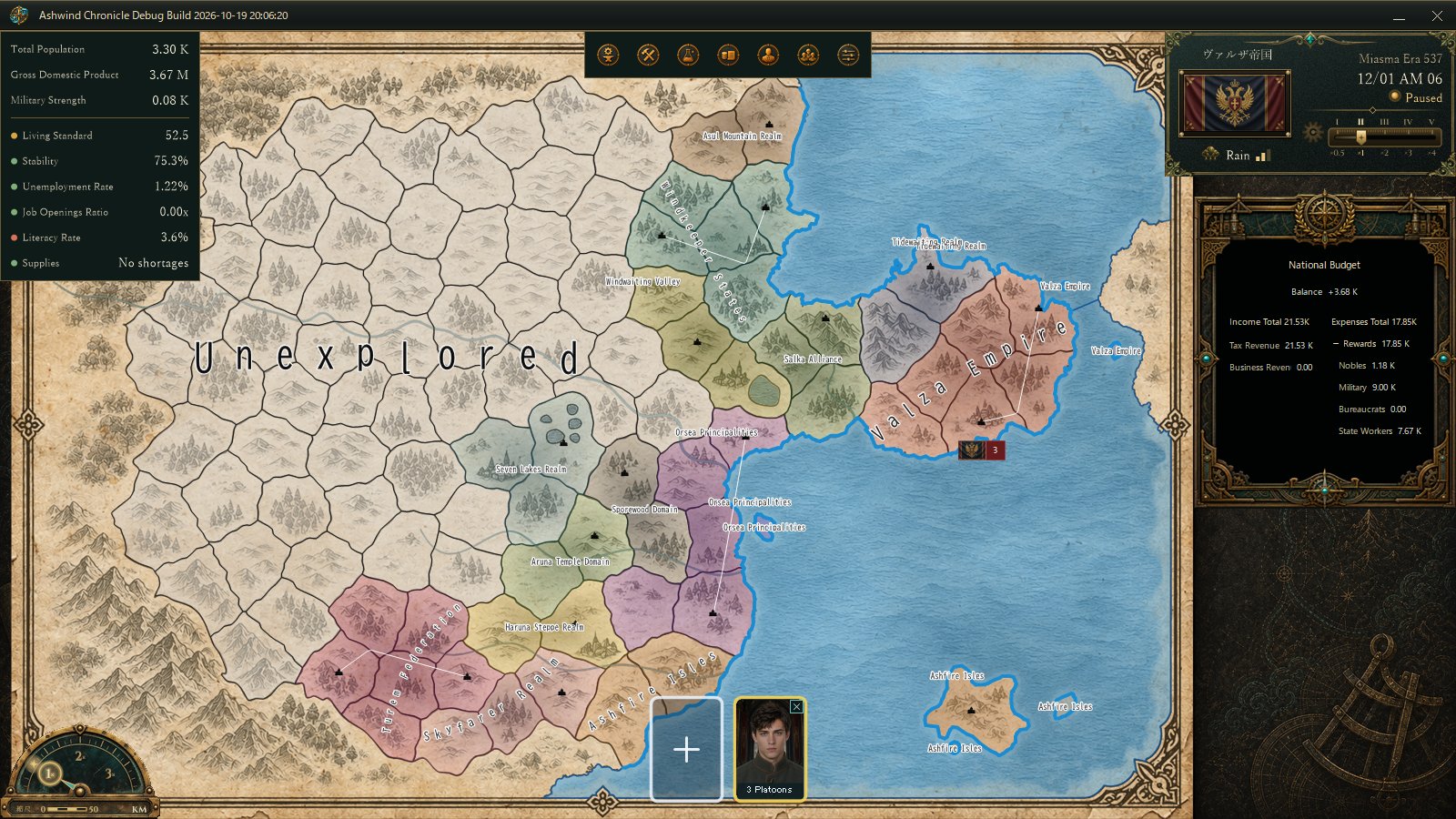
Rain Debug example. The calendar’s weather presentation reflects the selected weather type and intensity.
Once today’s result is committed, the next read uses that confirmed state. Until then, the display result is cached using the document and weather-state references, state count, date, and world seed; a change to those inputs triggers a fresh calculation.
A bridge to today, not a forecastThis is not a forecast for future days. It is a small bridge that keeps “today” readable on the calendar while background processing catches up. The clear, rain, and storm screens here are QA states selected to verify the actual Debug display path.
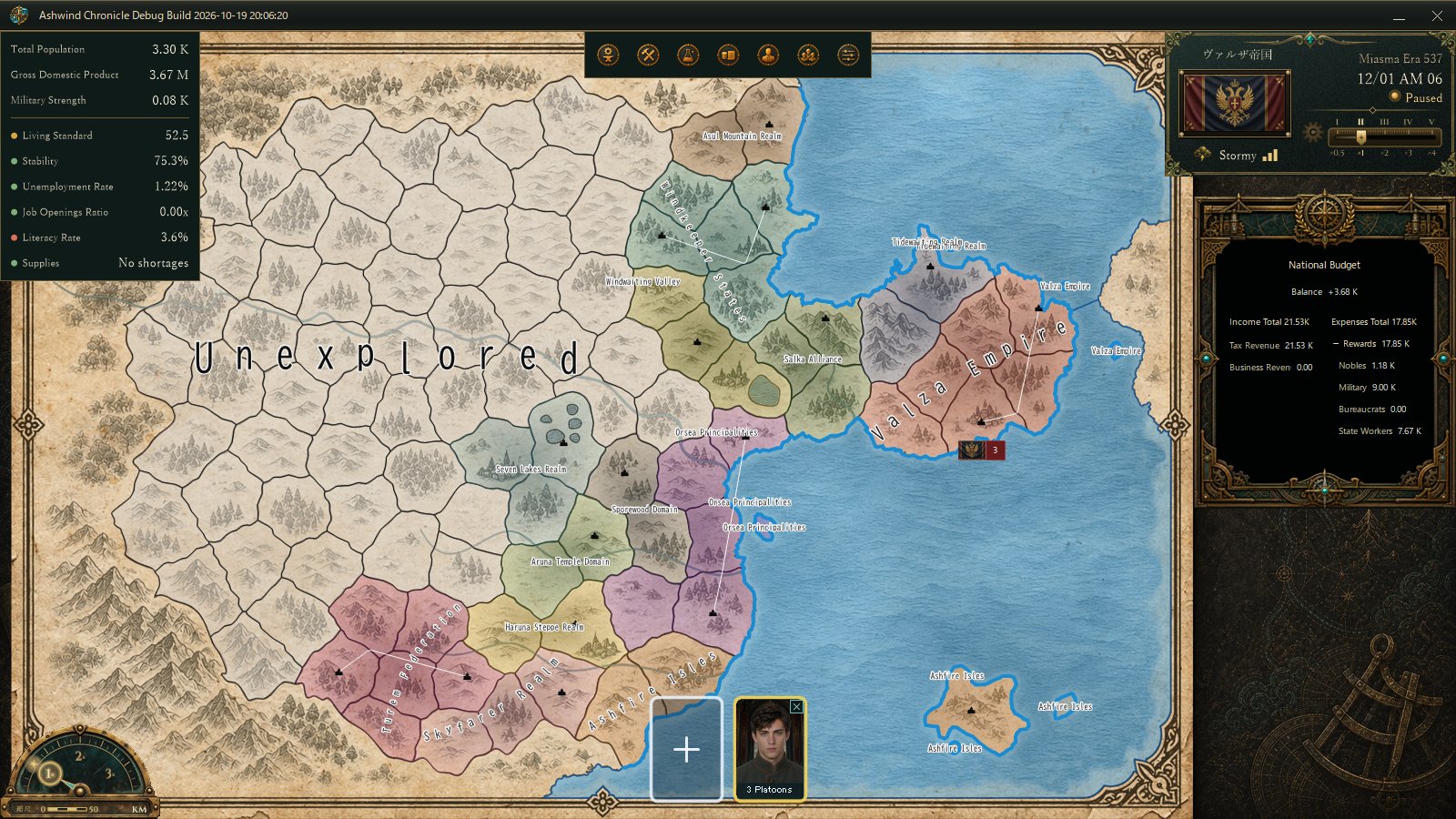
Storm Debug example. This controlled display state does not claim that a normal save currently has an active storm.
For another example of making results easier to read without changing the underlying simulation, see DEVELOPMENT SNAPSHOT #57, about smoothing daily resource-supply trends across a seven-day window.
Next time you open the calendar, its weather is more than decoration: it is a small window into a world whose daily calculations are still moving forward.