
DEVELOPMENT SNAPSHOT #124 — The Dock Screen: Status at a Glance, Sorties in a List
- Thursday, November 26 2026
- Contributed by: Takeshi Miyaoka
- Views: 28
A Dock houses and maintains aircraft, such as levitating transports, and warships fitted with floating stones. Until now its facility screen put both status and orders under the Operating orders tab: an internal base ID, the remaining storage, maintenance slots, an empty table and a single button that opened a separate departure window. On November 25 the Dock screen was rebuilt so that status lives under Facility info and only the order itself, sending a warship out, stays under Operating orders.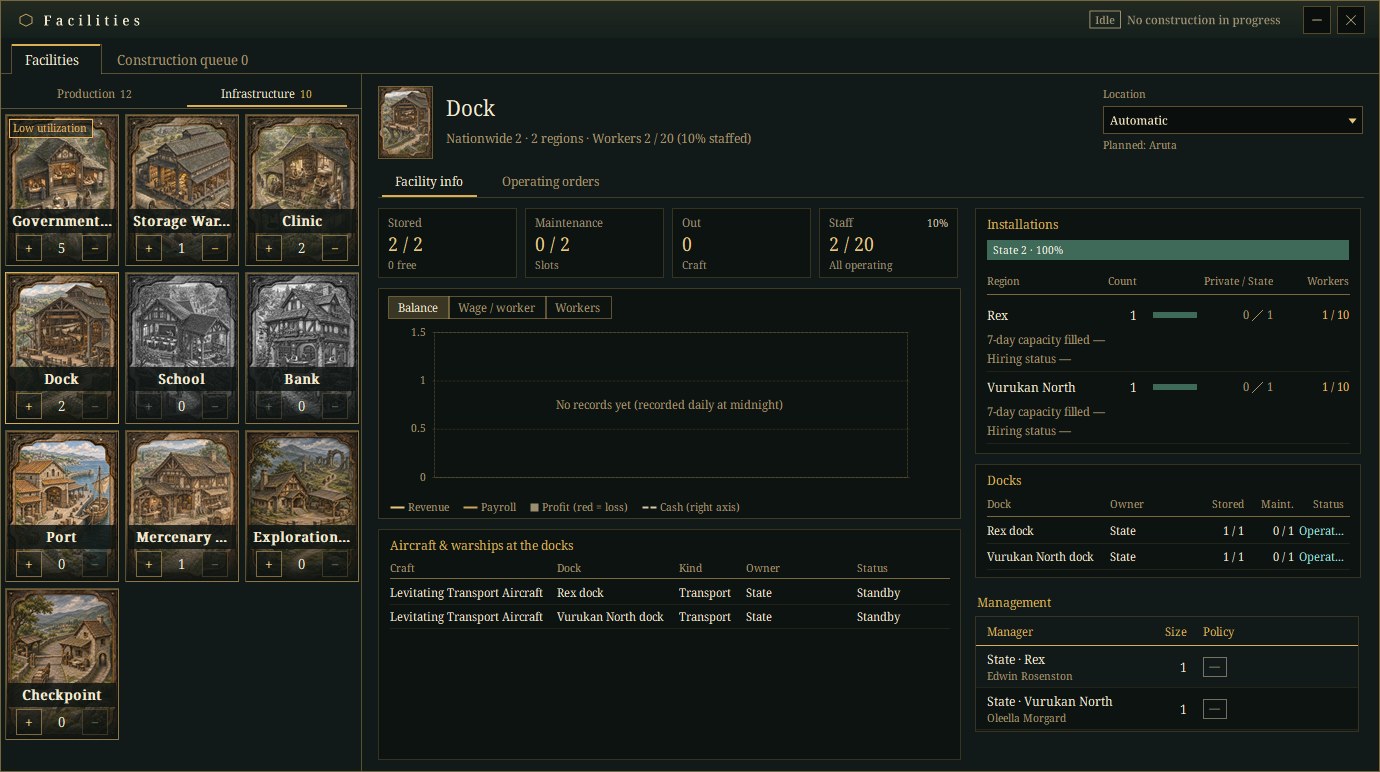
Facility info for the Dock (an actual Debug-build screen from main on November 25). The top cards show storage, maintenance, craft out and staff; below is the list of aircraft and warships at the docks; the right column has Installations, Docks and Management. This is the state of a new game, with one opening levitating transport at each state dock.
1. Facility info: the dock at a glanceA Dock does not make and sell goods, so its top cards no longer show sales, profit and cash. Instead they show:
- Stored: storage in use / capacity, and how much is free. State capacity counts operating state docks; private capacity counts operating docks built with private money.
- Maintenance: craft in maintenance / maintenance slots, marked Full when every slot is taken.
- Out: craft away from the docks (on sortie, returning, in service or on charter).
- Staff: workers / limit and the fill rate, plus how many docks are stopped, if any.
Below the chart, "Aircraft & warships at the docks" lists each craft with its dock, kind (aircraft, transport, warship or carrier), owner and status (standby, on sortie, returning, in maintenance, in service, on charter and so on). The owner column separates the state from private air businesses, so private docks and their aircraft appear in the same table. When warships have been sent out, a "Warship operations" log underneath shows up to the three latest sorties with hull, destination, arrival, status and engagement result.
The right column now has Installations by region and a Docks table with storage, maintenance and status for each dock. If a state dock is stopped, a note explains that it resumes once staffed or repaired. The internal base ID that the old screen showed is gone.
2. Operating orders: one row per warshipThe Operating orders tab is now only for orders. It no longer asks for a region: every warship that can depart from an operating state dock in the country gets its own row. Choose the altitude (up to 450 m) and the destination, and the row immediately shows the expected arrival and the insect oil (fuel) the trip will use; Depart sends the warship out. Destinations are your own land provinces and the land provinces of countries you are at war with.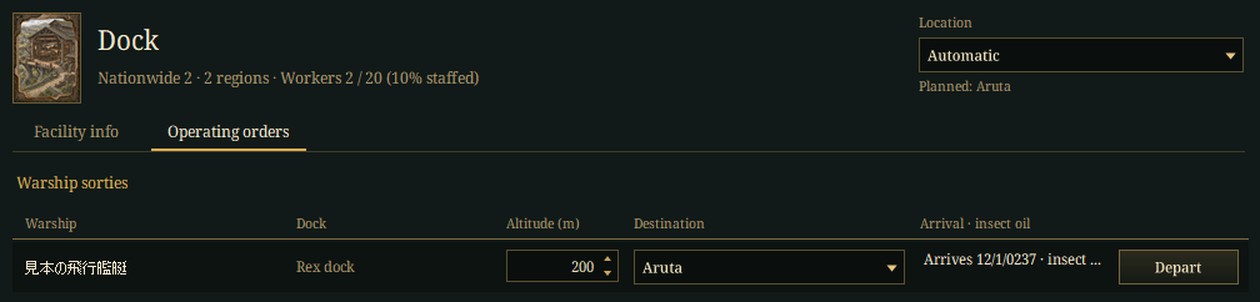
A sortie row at 200 m toward Aruta. The warship is a sample placed in memory only for the capture (nothing is saved), which is why its name appears in Japanese. The estimate text is cut off here; see "Not done yet" below.
If the trip cannot be estimated, the reason follows "Cannot estimate:" in the warning color and Depart stays disabled. Warships already out show only their destination and arrival on one line. When no warship can depart, no button is shown; a single line says why: there is no state dock, no state dock is operating, or no hull with an installed floating stone is at a dock.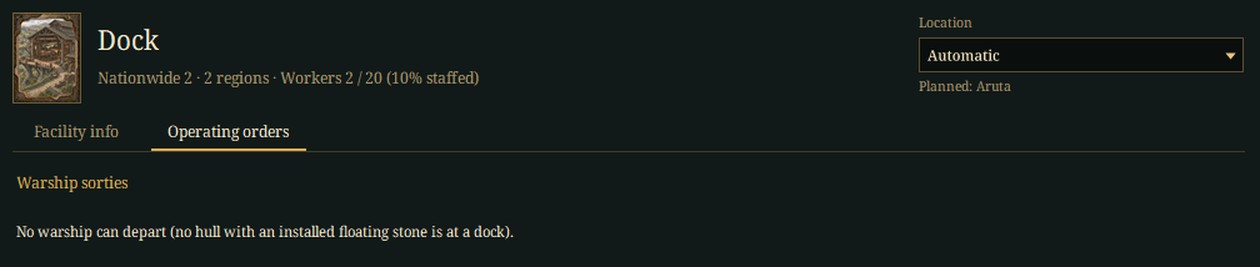
In a new game there is no hull with a floating stone yet, so the tab shows only the reason.
Warships leaving a dock, facing air defense at the first midnight after reaching their destination and returning were implemented earlier as improvement item AAD-004, based on the plan in #103. This change moves that departure from a separate window into the Dock screen's list. Private charter flights are an action of private businesses, so they stay on the platoon formation screen.
What was checkedA Debug build made from main on November 25 (d8cd8a0) was started without showing a window, and the facility screen's automated checks passed in both Japanese and English: the Docks table appears under Facility info, Operating orders no longer asks for a region, and placing a sample hull with a floating stone produces a sortie row with an arrival and fuel estimate.
Not done yet- The chart at the top is still the same balance chart as other facilities; storage history is not recorded yet.
- These captures showed two English layout problems: the arrival date includes the year and no longer fits its column ("Arrives 12/1/0237 · insect …"), and "Operating" is cut off in the Docks table. They will be fixed.
The images are actual game screens from a Debug build made from main on November 25 and started without showing a window. They use the same state as a new game started from the initial master (with the opening state docks and transports), not a user's save. Only the warship in image 2 is a sample placed in memory to show the sortie row. The Japanese article uses the Japanese screen and this article the English one.
Related: DEVELOPMENT PLAN #103
See the files currently available and the development status on the download page