Welcome to Happa, Anonymous Saturday, November 14 2026

Ashwind Chronicle Developer Blog

DEVELOPMENT SNAPSHOT #90 — Ship of the Line or Corvette? Class Badges for Aircraft

When aircraft were listed as equipment, it was hard to tell from the names alone which entries were large airships and which were small transport aircraft. Aircraft now show their class as a badge combining text, a silhouette and a colour. The badges appear in the Production "Add equipment" list and on the equipment rows of the platoon pattern editor.
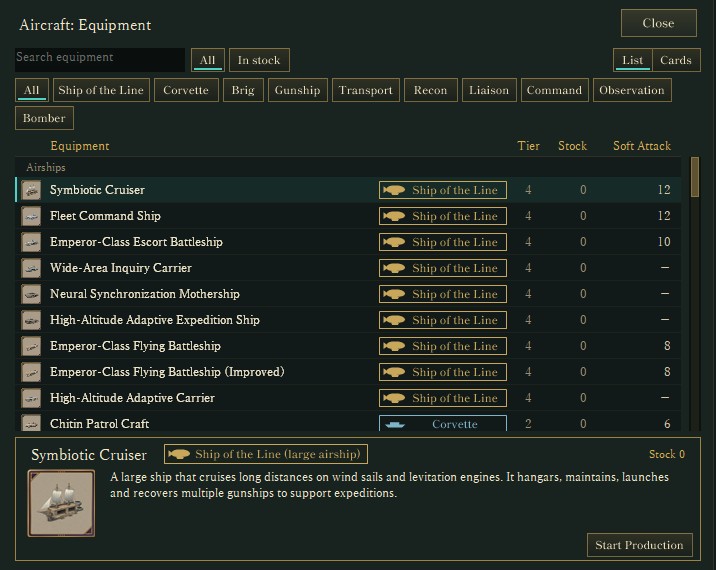
Aircraft in the Production "Add equipment" list (actual Debug-build screen). Each name has a class badge, and the button row above filters by class. The detail panel shows the full class name, such as "Ship of the Line (large airship)".
DEVELOPMENT PLAN #89 — Meeting Raids from the Ground: Linking Guns, Spotters and Command

This is a development plan: it describes something I want to build next. None of the systems described here are implemented yet, and the details are still under consideration and may change before they ship.

This morning's post (#88) registered ground-based air defense in the game: research, anti-aircraft guns and air-defense facilities. But a gun placed today still never fires. Tonight's plan is to link observation posts, ammunition stores, command posts and guns into one air-defense network that engages enemy air missions. It builds on the existing improvement item AAD-002 (air-defense engagements and settling quantities), and I have added this plan to that ticket.

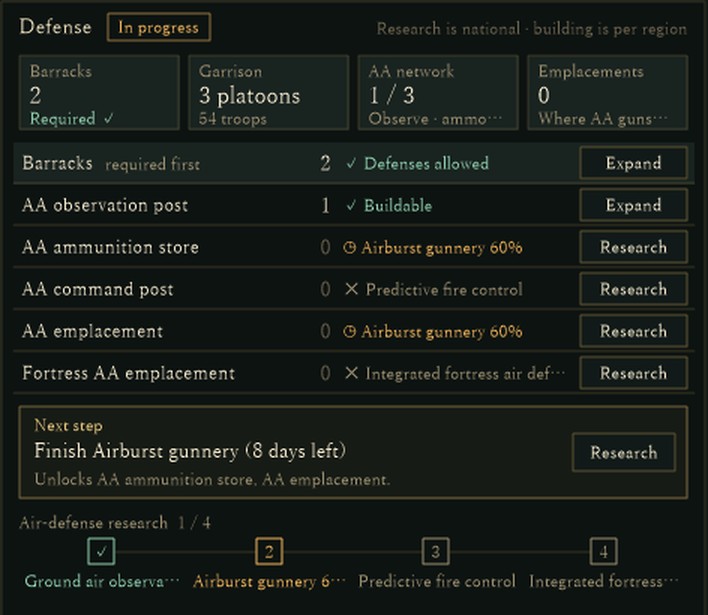
The current Defense section of the region information screen, captured from a development Debug build for verification. It shows barracks, garrison, the AA network (how many of observation, ammunition and command are built), emplacements, and the next step.

DEVELOPMENT SNAPSHOT #88 — Watching the Sky: Ground Air-Defense Research, Guns and Emplacements

Ground air defense, protecting the land from the sky, is now registered in the game as research, gun models and facilities: four research stages from Ground air observation to Integrated fortress air defense, five guns (fixed, mobile, fire-controlled and fortress), and five facilities such as observation posts and ammunition stores. Each of the nine new research cards also has its own artwork, and research cards were redesigned as "framed picture on the left, text on the right".

Card artwork for Airburst gunnery, the second research stage. The official repository image is shown with the shared research-card frame laid over it, the same way the game composes it at display time.

DEVELOPMENT PLAN #87 — Where Broken Gear Gets Fixed: Field Repairs and Rear Workshops

This is a development plan: it describes something we would like to build next. None of it is implemented yet, and the details are still under consideration and may change.

This morning's post (#86) added "Workshops in use" and "Deployed / required" to the Production window. Right now the workshops only build new equipment. So where does gear damaged in battle get fixed? Tonight's plan splits a damaged item into the part that can be repaired in the field and the part only a rear workshop can restore, and lets workshops share their work between new builds and repairs. It builds on the existing improvement item BTL-013, and we have added this plan to that ticket.

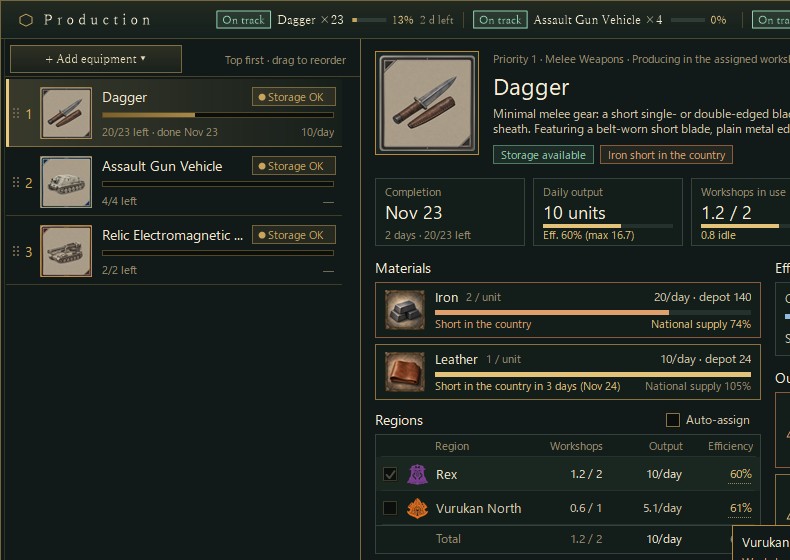
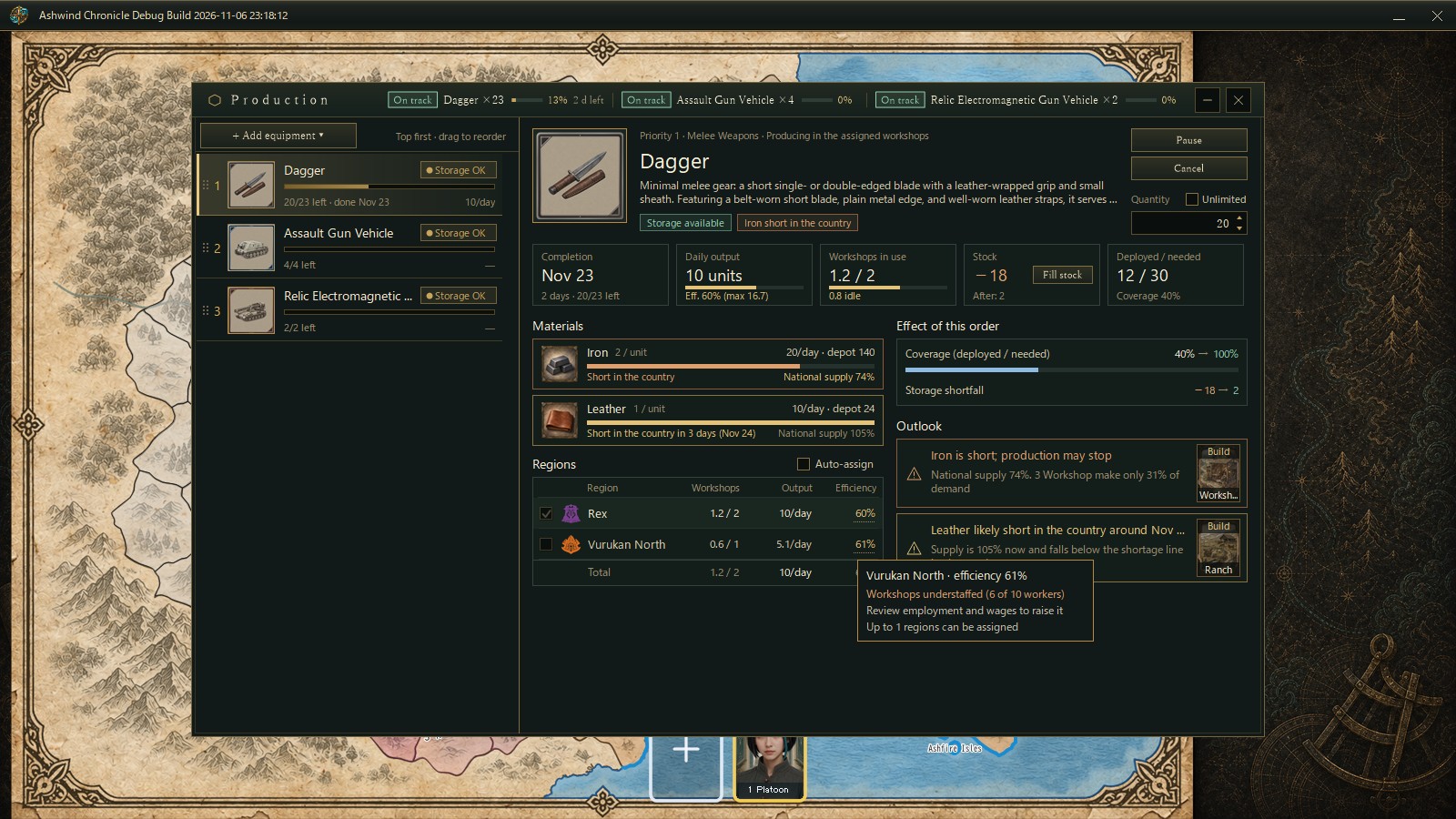
The current Production window, captured from a development debug build with a verification setup. Workshop capacity (1.2 / 2) is used only for new builds; there are no repair orders yet.

DEVELOPMENT SNAPSHOT #86 — The Production Window Looks Ahead: Shortages and What to Build

We rebuilt the right side of the Production screen, the detail of the selected order. One window now shows the equipment picture and description, five indicators, the national supply of every material, the efficiency of each assigned region, and two new sections, "Effect of this order" and "Outlook", so you can see what to build before a material runs short. Material cards can now open the Resource Market, and the middle button of the main menu opens the Resource Market as well.

The Production screen captured for verification in a development debug build, with a Dagger order selected. The order list is on the left and the new detail on the right; the tooltip explains a region's efficiency. Numbers come from a verification setup and may change.

Page navigation