Welcome to Happa, Anonymous Saturday, November 14 2026

Ashwind Chronicle Developer Blog

DEVELOPMENT SNAPSHOT #80 — Leave It to the Minister: Domestic Proposals That Carry Themselves Out

We rebuilt "National policy", the first screen of Domestic Affairs. Its lower half now holds only the minister's proposals, and pressing "Leave this to the minister" on a card has the minister carry it out, all the way to reserving an appointment or changing a budget rate. Until now a proposal's button only opened the related screen, and you had to register the change yourself.
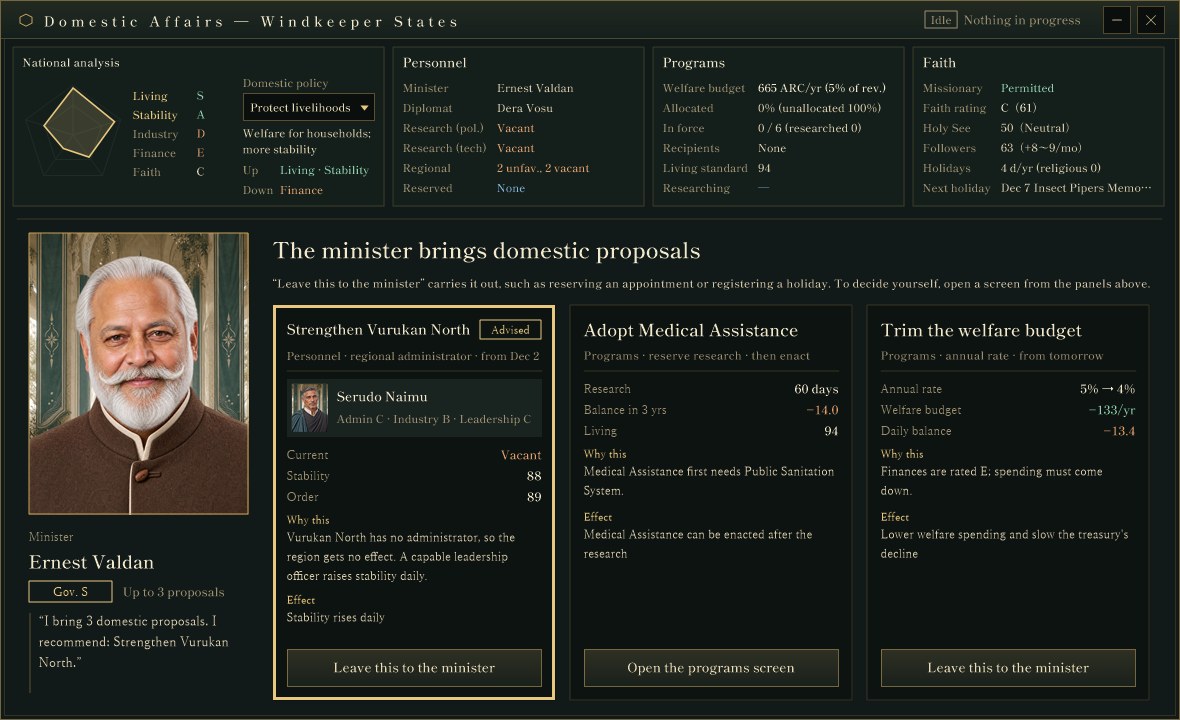
The "National policy" screen of Domestic Affairs, captured for verification in a development debug build. The top row has four panels (National analysis, Personnel, Programs and Faith); below are the minister's portrait and three proposal cards. Numbers come from a verification setup and may change.

The same "an officer brings you proposals" layout used for the budget (#71) and the researcher (#74) now greets you at the entrance to Domestic Affairs.
DEVELOPMENT PLAN #79 — Warning Before It Runs Short: A Supply Outlook

This is a development plan article about something we would like to build next. Nothing described here is implemented yet; the ideas are still under consideration and may change before they are built.

This morning's article (#78) introduced the Supplies window that now sits right below the national overview. Tonight we look at the next step: an outlook that flags items that are still sufficient but heading for a shortage, before they actually run short. It is registered as improvement item UI-066.

DEVELOPMENT SNAPSHOT #78 — Shortages Always in View: A Supply Window Below the Overview

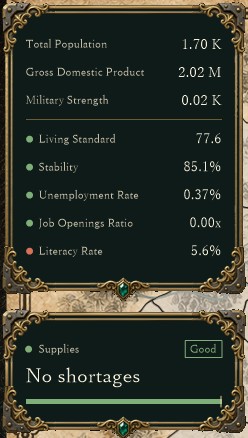
A "Supplies" window now always sits at the top left of the game screen, directly below the national overview. Before, supplies were one status row in the overview, and the breakdown appeared beside it only while you hovered. Now you can see which goods your country is short of without opening anything.

The national overview and the supplies window, captured for verification in a development debug build (the map and title row are cropped). The country had no shortages at this point, so the window is in its short form: the "Good" badge, "No shortages" and a bar for the share of goods that are sufficient. Numbers come from a verification setup and may change.

When something runs short, the goods are listed from the lowest supply ratio, and clicking a row opens the Resources & Prices screen with that item selected.

DEVELOPMENT PLAN #77 — Commanders Who Reread the Battle: Counterattacks and Pursuit

This is a development plan article about something we would like to build next. Nothing described here is implemented yet; the ideas are still under consideration and may change before they are built.

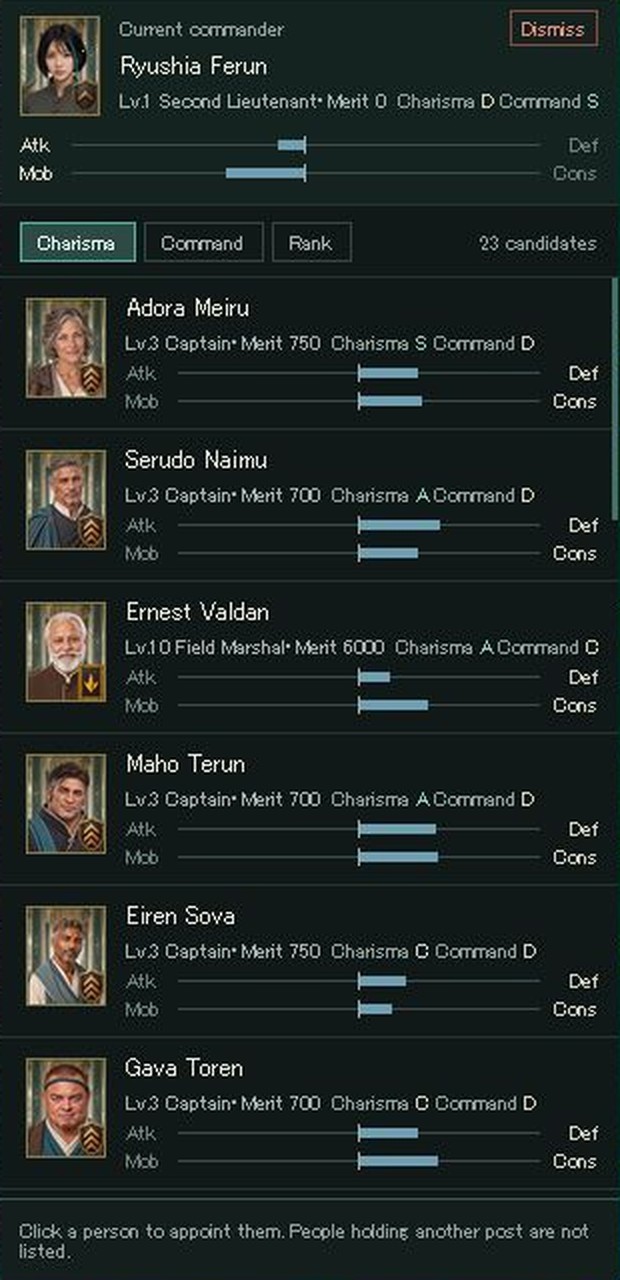
This morning's article (#76) showed how regiment commanders, adjutants and platoon leaders can now be appointed from the platoon window. Each candidate card shows lean bars for Attack↔Defense and Mobility↔Conservation. This plan (improvement item BTL-012) would let those leans and each person's personality (one of 16 types) show up as decisions during a battle, not only at its start.

The regiment commander candidate window today (captured for verification in a development debug build; the window title row and the map are cropped). Each card shows Atk↔Def and Mob↔Cons as a bar extending toward the side the person leans to. People and numbers come from a verification setup.

DEVELOPMENT SNAPSHOT #76 — Appoint from the Platoon Window: Candidates Shown by What the Post Needs

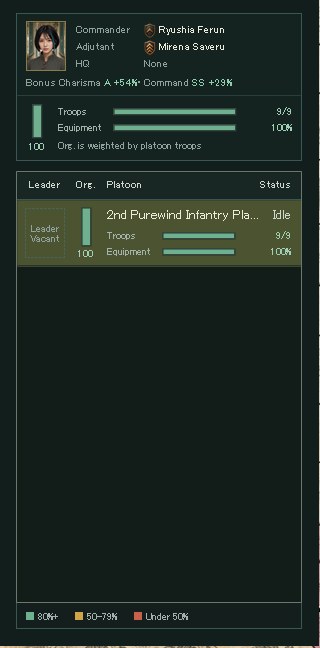
Clicking a regiment card below the map now opens that regiment's platoon selection window. A regiment summary sits at the top and the list of platoons below it, so vacant posts for regiment commander, adjutant and platoon leaders are visible at a glance.

The regiment's platoon selection window, captured for verification in a development debug build (the window's title row is cropped). It shows the commander's and adjutant's rank insignia and names, the adjutant's bonus, the regiment's troops, equipment and organization, and a platoon row whose vacant leader slot is drawn with a dotted frame as "Leader Vacant". People and numbers come from a verification setup and may change.

You can now appoint the regiment commander, adjutant and platoon leaders directly from this window. The candidate panel shows the ability grades and leanings that matter for that post, so you can compare who suits which role before choosing.

Page navigation